
 karlijessen
As you help your website design client finalize their WordPress website, one focus will be on plugins. WordPress plugins help run a website more efficiently, improve media performance, increase optimization and more. There are thousands of WordPress plugins available for download, so how do you know which are the best options for your clients?
YOAST SEO

If good SEO is a goal for your clients, then Yoast is a must-have WordPress plugin. Yoast makes SEO easy because it gives you visual clues and written hints when the text can be tweaked for better optimization. The analysis is performed by Yoast on pages and blog posts, plus the plugin even points out when the images could have better SEO editing. That’s just the beginning of the Yoast features, so be sure you show your client what it can do.
SMUSH IMAGE COMPRESSION
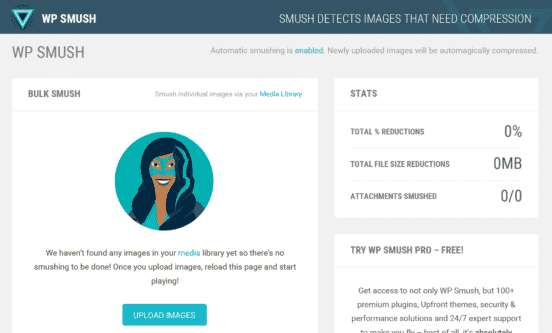
Beautiful images are a selling point for any website, especially in the ecommerce space. Hi-res images take up a good deal of server space, so keeping your image size low is key in case you have a high amount of traffic and bandwidth activity. Smush Image Compression is an award-winning WordPress plugin that lets you compress your images right inside the Dashboard. It also smushes all of your images to improve overall loading times and optimization.
W3 TOTAL CACHE
W3 Total Cache is a caching plugin that helps speed up your website and decrease loading time. It’s a robust plugin used by websites the world over, and it can help any website owner. In addition to helping the websites load better, it also improves search engine presence, compresses HTML and other resources, integrates with CDN (content delivery networks) to deliver content faster and more. W3 Total Cache goes through your entire website to find ways to overhaul its speed, performance and presence.
STRONG TESTIMONIALS
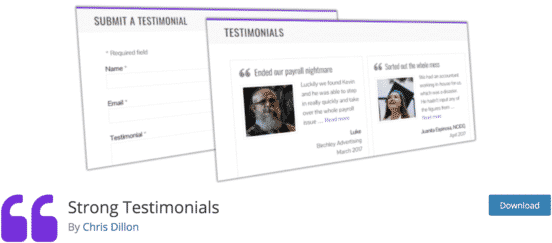
If your website design client is offering a service, they likely want glowing testimonials to be displayed on their new website. Strong Testimonials will let them display testimonials easily on their website with star ratings and a picture of the client. The WordPress plugin features sliding gallery testimonials, on-site submission form and the ability to add testimonials to any page.
JETPACK

Jetpack is a revolutionary WordPress plugin that’s been around for several year, but it’s still a must-have for website design clients. The plugin is packed with features, and if your client is iffy on adding a bunch of plugins — for whatever reason — then this plugin can solve many issues at once. The free version features site stats, spam protection, social sharing, backup, downtime monitoring and more. When you get into the paid version of Jetpack, you unleash even more features such as search engine optimization tools.
GOOGLE XML SITEMAPS
For any website to be found, it needs to be listed in search engines. Your website design will hopefully have site map, but this WordPress plugin takes it a step further. Google XML Sitemaps helps you create XML sitemaps not just for Google, but also Yahoo and Bing for better indexing. The generated sitemaps are applicable for all parts of the WordPress taxonomy, including pages, tags, categories and posts.

 Brittany Maslo